

Google dropped Android 17 QPR3 Beta 3 last week for supported Pixel devices. Inside, the Android team included a solid list of new features, plus plenty of bug fixes. In case you needed help discovering some of the cool new stuff, we figured we’d compile a quick little list for you.
There are three new things we wanted to highlight, in case you had missed them. Users can now launch apps in bubbles via the Recents menu, App Lock has made a return after a bit more polish, and a dedicated camera shortcut can now be added to the Quick Settings menu.
Here’s the full breakdown for you.
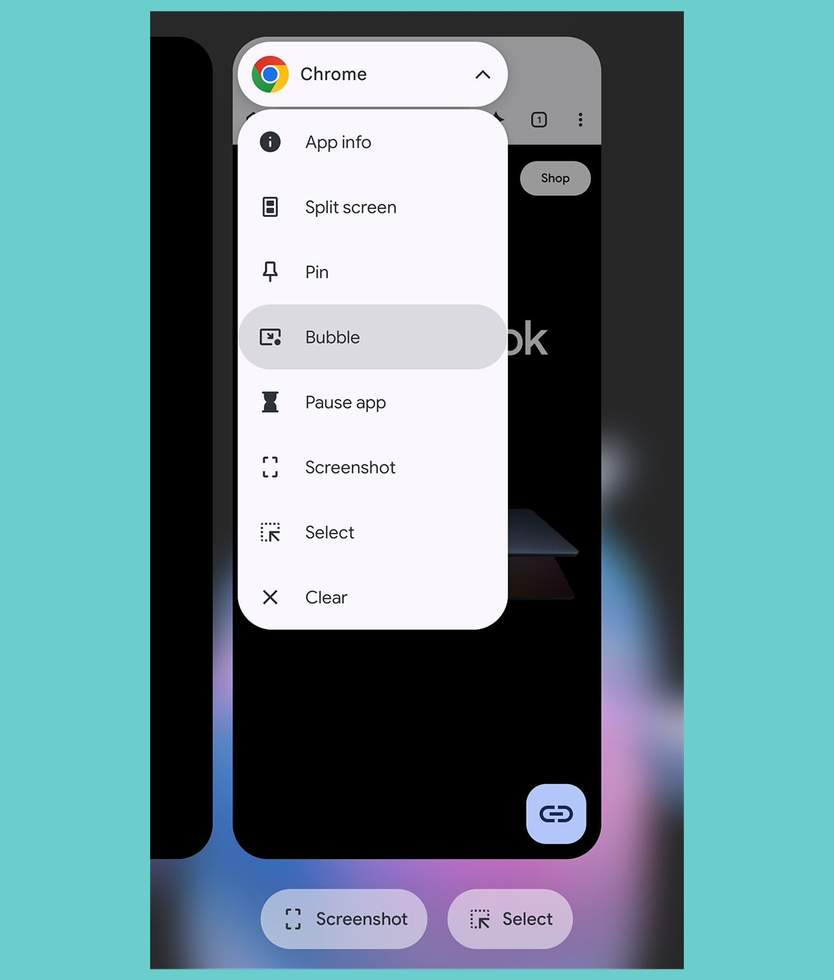
This latest beta allows users to launch apps directly into bubbles via the Recents dropdown menu. Youll swipe up on your screen to see your apps overviewed. Then you can tap on the app name and a menu screen will appear. From here, hit “Bubble” and the app will now be placed inside a bubble that you can use as usual.
Google’s Mishaal Rahman writes that, “For those of you using the preinstalled launcher, this joins the existing home screen app context menu shortcut as a way to launch an app as a bubble.”
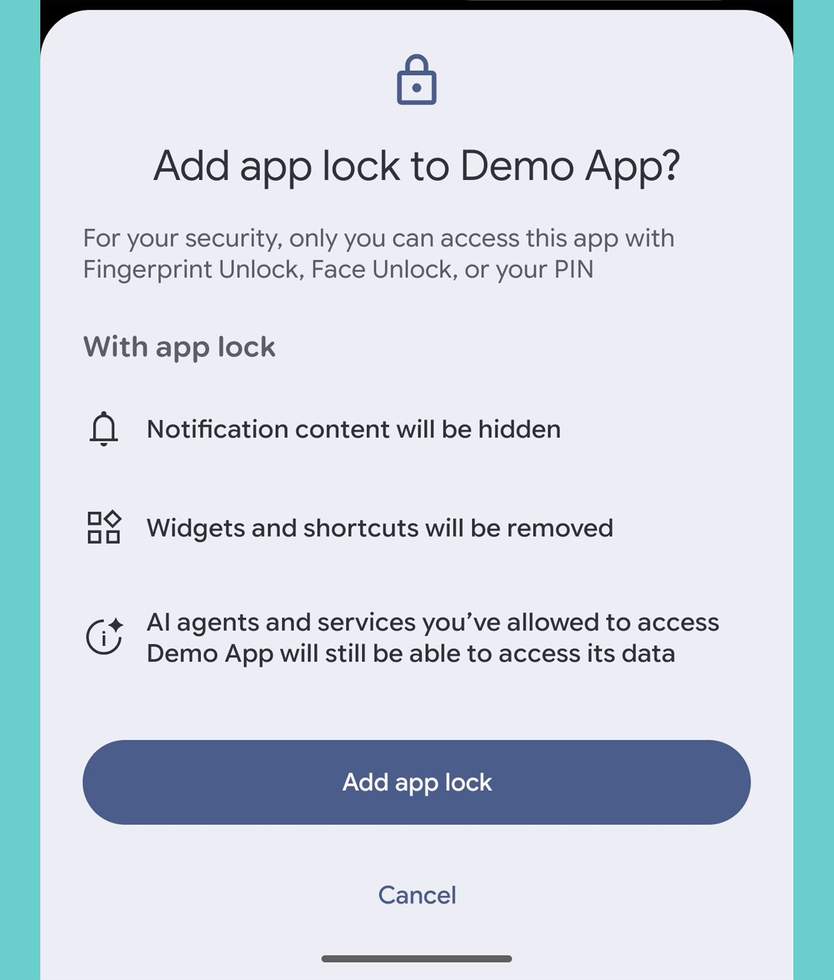
Previously available in QPR2 betas but then removed for the need of “additional polish and testing,” App Lock is back. With it, you can lock apps on your device to prevent unwanted access. When enabled, users need to provide credentials to unlock and use the app.
While locked, apps can’t display notifications, widgets can’t be seen, and shortcuts are removed. After using a locked app, screen content is also hidden when viewed from the Recents screen. This can be useful for all sorts of purposes, you little freaks.
We’re happy to see it make a return.
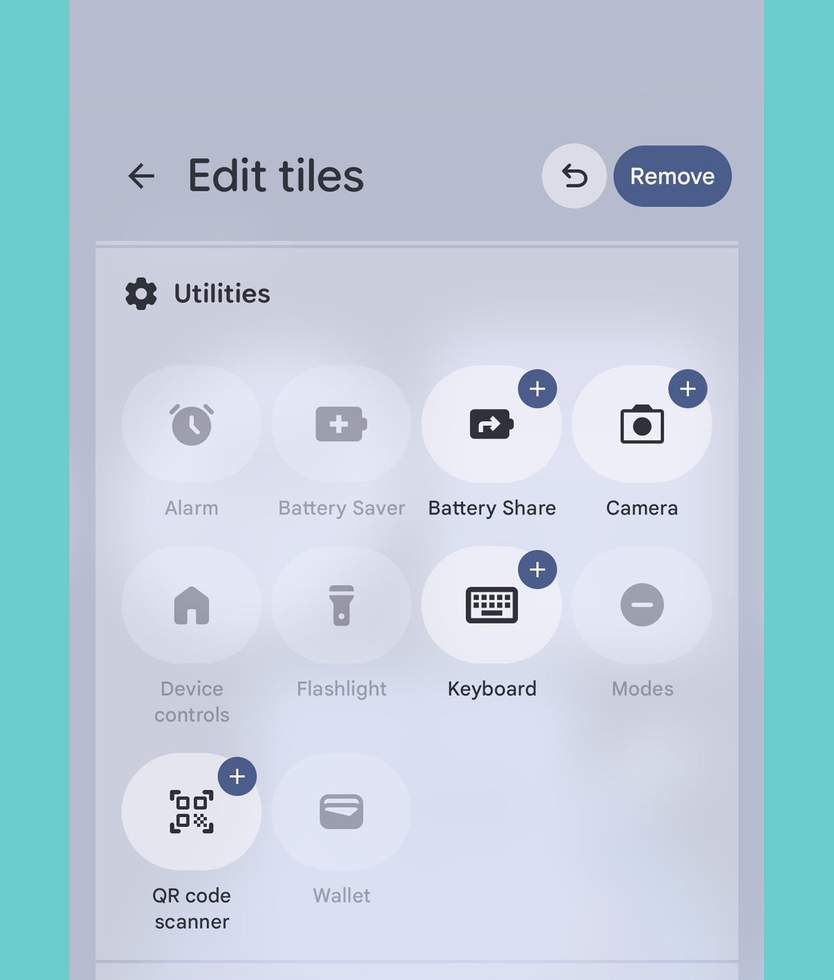
This one is straightforward enough. For anyone who might enjoy having quick access to their camera from the Quick Settings menu, Google has added in a new Camera option.
As explained by Rahman, “This improves accessibility for users with dexterity issues who struggle with the physical power button double-tap gesture or the long-press gesture on the lock screen shortcut.”
We are always on board for additional Accessibility options.
Have you been playing with Beta 3 at all? Is there anything you’ve found yourself that you love?
Read the original post: Android 17 QPR3 Beta 3: Three Sweet Features to Check Out


